Locator & Pages - JavaScript para preseleccionar un Filtro
Este artículo muestra JavaScript utilizado para preseleccionar el primer filtro de un Locator. Contiene el código en sí, la «guía de configuración» y cómo habilitarlo. La preselección no es permanente: el usuario puede deseleccionar para ver todo el conjunto de ubicaciones.
Qué sucederá
Pasar de esto:
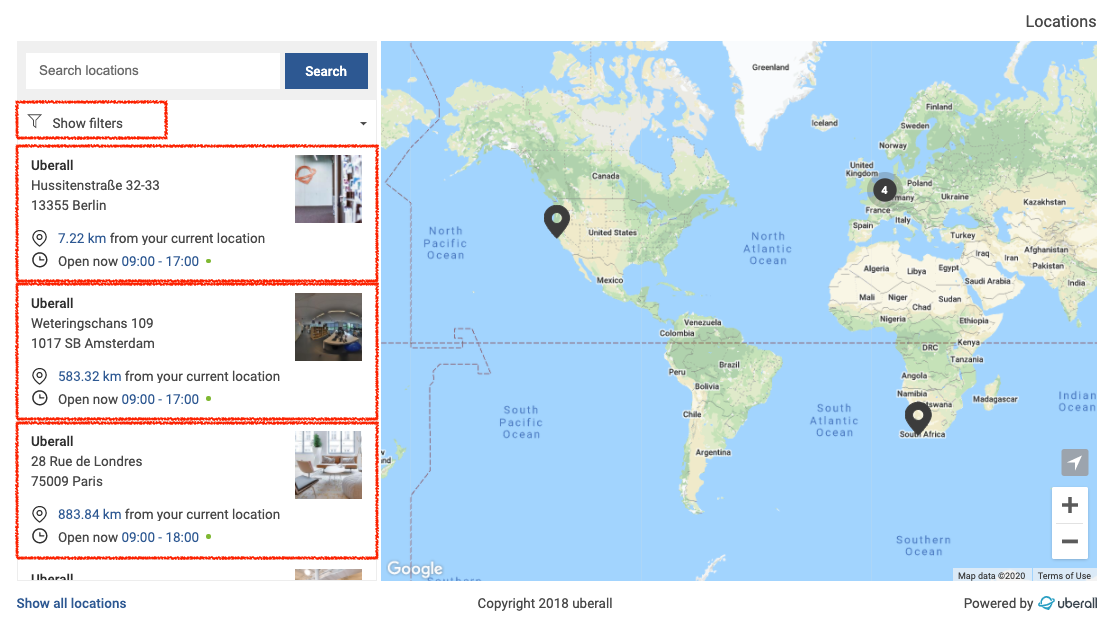
a esto:
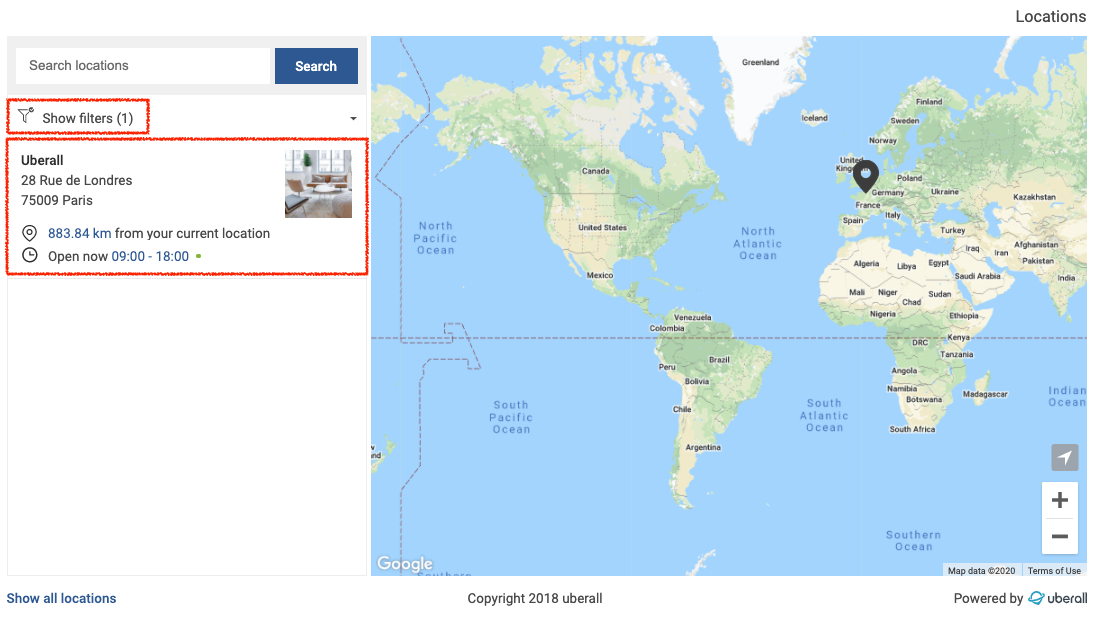
Cómo configurarlo
Es un requisito previo tener el campo de datos «services» completado para tus ubicaciones para poder tener filtros para preseleccionar. Aprende cómo hacerlo aquí.
Una vez que tengas tu configuración de filtros lista, el script seleccionará el primer filtro con el siguiente script en funcionamiento.
JavaScript
<script>

  //Unchecks all enabled filters on load
  function removeAllFilters(){
    var checkboxes = document.getElementsByClassName('ubsf_filters-select-checkbox');
    for (var i = 0; i < checkboxes.length; i++){
      if (checkboxes[i].hasChildNodes){
        checkboxes[i].click();
      }
    }
  }

  //Click on a filter and apply
  function presetFilter() {
    var checkbox = document.getElementsByClassName('ubsf_filters-select-checkbox')[0];
    Boolean(checkbox) && checkbox.click();
    var button = document.getElementsByClassName('ubsf_advanced-select-menu_apply-filters-button')[0];
    Boolean(button) && button.click();
  }

  //Click on filters toggle to show and load them
  var showFilters = setInterval(function() {
    if (Boolean(window.ubGoogleMapInstance)) {
      var toggle = document.getElementsByClassName('ubsf_filter-toggle')[0];
      Boolean(toggle) && toggle.click();
      removeAllFilters();
      clearInterval(showFilters);
    }
  }, 50);

  //If filters are shown and loaded, select one and hide the toggle
  //Sets the filter drop down to display:none and moves the locations list up to take its spot
  var selectFilter = setInterval(function() {
    if (document.getElementsByClassName('ubsf_filters-select-checkbox').length > 0) {
      presetFilter();
      clearInterval(selectFilter);
    }
  }, 50);

  //Untogles the filters toggle if shown
  if (document.getElementsByClassName('ubsf_filters-select-checkbox').length > 0) {
    var toggle = document.getElementsByClassName('ubsf_filter-toggle')[0];
    toggle.click();
  }

  //---------------------------------------------------------------------------//
  //If you want to show the filter box toggle, remove this section
  var hideFilterSection = setInterval(function() {
    var filterBox = document.getElementsByClassName('ubsf_filter-box')[0];
    if (filterBox && filterBox.style.display != "none"){
      filterBox.style.display = "none";

      var locationsList = document.getElementsByClassName('ubsf_locations-list')[0];
      locationsList.style.top = "66px";
      locationsList.style.height = "calc(100% - 66px)";
    }
  }, 50);
  //---------------------------------------------------------------------------//

  </script>
Cómo habilitar
El script en sí debe guardarse en un archivo .js y almacenarse en un servidor público, como este:
https://s3.eu-central-1.amazonaws.com/uberall-downloads-prod/Preselect_1st_Filter.js
Después, el archivo debe ser direccionado como la fuente del script.
Apuntar a un archivo JavaScript externo:
<script src="https://s3.eu-central-1.amazonaws.com/uberall-downloads-prod/Preselect_1st_Filter.js"></script>
Inserta la etiqueta de script anterior antes del fragmento de Uberall Locator & Pages en tu código HTML.
Ejemplos:
Con código directo como fuente (solo posible en fiddle para demostración): https://jsfiddle.net/UberSven/ys3w0zgp/1/
Con archivo .js como fuente — para compartir con clientes: https://jsfiddle.net/UberSven/ys3w0zgp/4/
Obtén más información sobre Uberall Locator aquí.