How to create a Facebook brand structure from existing pages
Turn your existing Facebook business pages into location pages under one Main page, so you can connect them to the platform.
Table of Contents
Use this guide if you already manage several Facebook business pages, but they aren't organized under one Main page yet. The steps below show you how to set it up using the pages you already have.
Before you start: Key terms
- Business page: a standalone page for a single business. It isn't part of a structure.
- Main page (also called brand page): the top-level page of your structure. It has no address, but shows a map of all its location pages.
- Location page (also called child page): a page for one location, nested under the Main page. It has an address and a map. Each location page connects to one location in the platform.
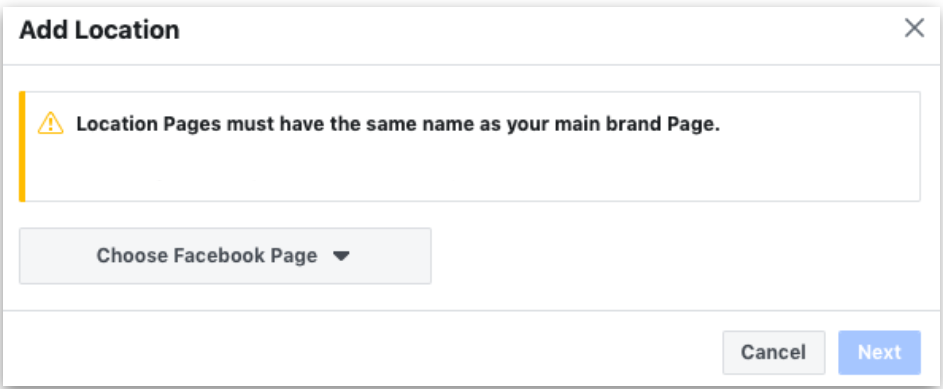
Why you can't simply rename your pages: Facebook requires all location pages to share the Main page's name. Standalone business pages can't have the same name as each other. That's why your existing pages need to be migrated into the structure instead of renamed. For more details, see Facebook's requirements.
Step 1: Create your Main page
Choose one of your existing business pages to become the Main page. We recommend the one with the most followers.
During this step, Facebook removes the page's address, because a Main page doesn't have one. It will ask whether you want to create a location page automatically using that address. We recommend saying yes, so that location keeps its own page.
Follow Facebook's guide to setting up a Main page.
Step 2: Create one location page
If you didn't create a location page in Step 1, add one now. You only need one location page at this point.
Follow Facebook's guide to adding a location.
Step 3: Move your existing pages under the Main page
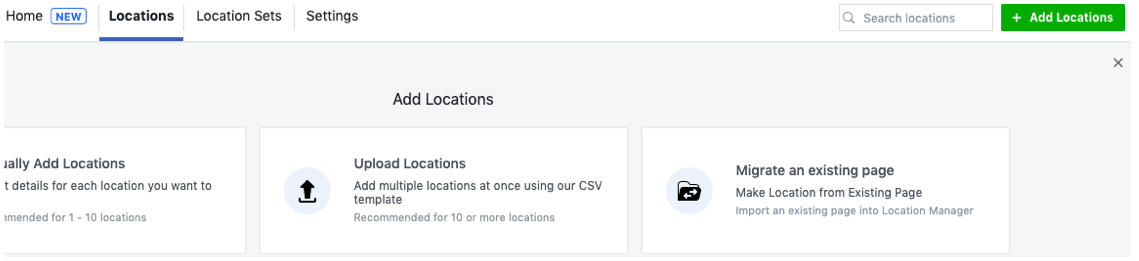
Now migrate each of your other business pages into the structure. For each page, choose Migrate an existing page. This turns it into a location page under your Main page.
You're ready to connect
Once your pages are migrated, connect Facebook to the platform. The platform automatically creates any missing location pages and nests them under your Main page.